MCP
SDODS as an MCP server for Claude Code, Cursor and VS Code, and the MCP servers it consumes.
How to connect an MCP client to SDODS over stdio or HTTP, which tool families exist, how scopes gate them, and how a project declares external MCP servers for its agents.
Topology
Browser driving goes through SDODS rather than beside it: the browser_* tools are the
Playwright MCP tools bound to a project and environment. One server to install.
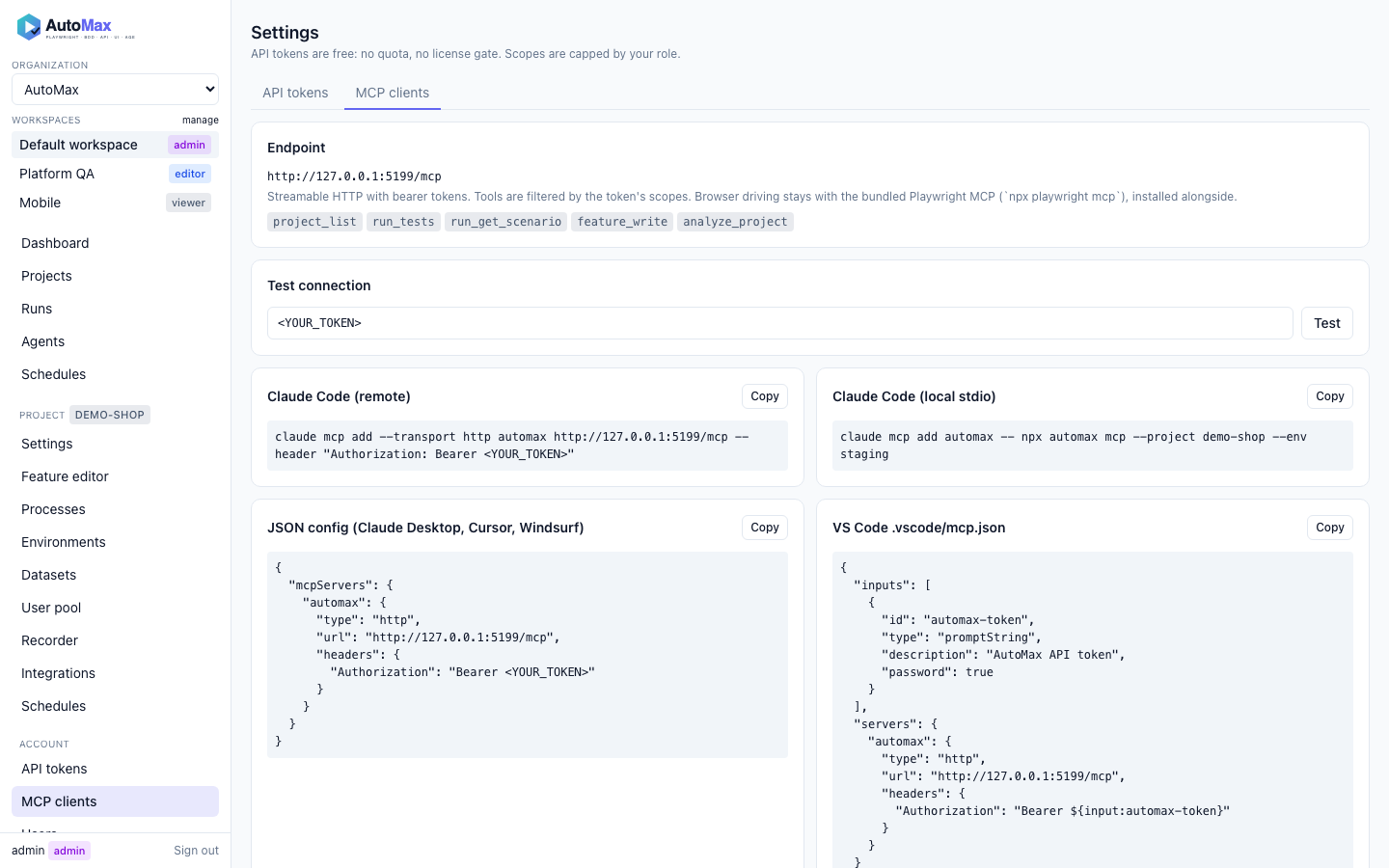
Connect
claude mcp add sdods -- npx -y @sdods/cli mcp --project demo-shop --env stagingsdods mcp install claude|codex|cursor|vscode|windsurf|gemini writes these for you. Every other client — Gemini CLI, Windsurf, Zed, JetBrains, Claude Desktop and more — and the Claude Code plugin are in Connect AI coding tools.
Tool families
| Prefix | Examples |
|---|---|
project_ | project_list, project_get_config, project_list_envs, project_doctor |
analyze_ | analyze_project, analyze_routes, analyze_openapi, analyze_locators, analyze_coverage, analyze_best_practices, analyze_change_impact, analyze_failure |
feature_ / step_ | feature_list, feature_read, feature_write (proposal), feature_lint, step_list, step_find |
run_ | run_tests, run_get, run_get_scenario, run_list, run_cancel, run_har_replay |
data_ | data_list_datasets, data_load, data_pool_status |
heal_ / insights_ | heal_events, heal_locator_stats, insights_flaky, insights_health |
record_ | record_start (local only), record_convert, auth_capture |
agent_ / proposal_ | agent_plan, agent_generate, agent_heal, proposal_list, proposal_accept |
issue_ / schedule_ | issue_create, issue_link, schedule_list, schedule_run_now |
Write tools produce proposals; they never touch your working tree. Every tool carries annotations, a Zod input schema and a link to its reference page.
Scopes
Over HTTP the bearer token's scopes decide which tools appear: viewer tokens see read tools, editor tokens add run and proposal tools, admin tokens everything. Over stdio you are the local admin.
Servers a project consumes
mcp:
  servers:
    github:
      transport: stdio
      command: npx
      args: [-y, '@modelcontextprotocol/server-github']
      envFrom: { GITHUB_PERSONAL_ACCESS_TOKEN: GITHUB_TOKEN }
      allowedTools: [search_issues, create_issue]
Values under envFrom and headersFrom are variable names; literals are rejected.
Every adapter can now reach these servers, not only the Claude and CLI ones. A chat-completions
adapter — openai-compatible or ollama — connects each server as an MCP client and presents its
tools as ordinary functions named mcp__<server>__<tool>, the same convention Claude Code uses. A
server that fails to start is reported and skipped rather than taking the job with it.
The roles whose work is looking at the application (planner, generator, healer) also get Playwright's own MCP server attached automatically, so “write a test for this page” means the same thing on a local model as it does on a hosted one.
Tool count is the limit, not the transport. SDODS exposes 33–35 tools to a role and Playwright
adds about 24; a 7–8B local model starts describing tool calls in prose instead of making them
somewhere past that. Narrow allowedTools, or use a larger model for the roles that drive a
browser — see Local models.
Next steps
Connect AI coding tools
Add SDODS to Claude Code, Codex, Cursor, VS Code, Gemini CLI, Windsurf and any MCP client — as a plugin, as skills, as a local MCP server or through your team's endpoint.
Claude Code and Codex CLI
Use SDODS from Claude Code and OpenAI Codex, and run SDODS agents on their logins without an API key.