2 · The first run
Layers, tags and exit codes — and why the API layer passes immediately while the UI layer does not.
What a layer is, what a suite tag is for, how to read a run's output and its exit code, and how to turn five red scenarios into four green ones by giving the suite a login.
Time: 20 minutes · You need: the application running (yarn dev).
Two layers, two answers
A project can be exercised at three layers, and they fail for different reasons:
| Layer | What it drives | What a failure usually means |
|---|---|---|
api | HTTP requests, no browser | the endpoint, the payload or the port |
ui | a real browser | the page, the locator or the login |
hybrid | both inside one scenario | the two disagree — the interesting bug |
Start with the layer that has the fewest moving parts:
sdods run -p rwa-bank -e local -l api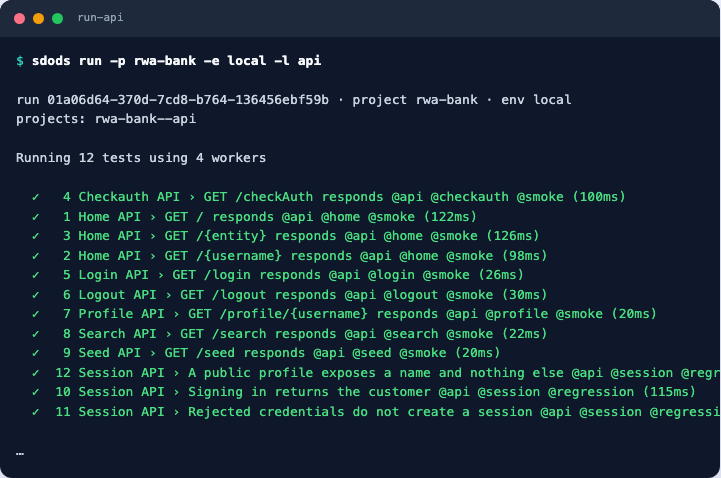
Then the browser:
sdods run -p rwa-bank -e local -l ui -b chromium -t @smoke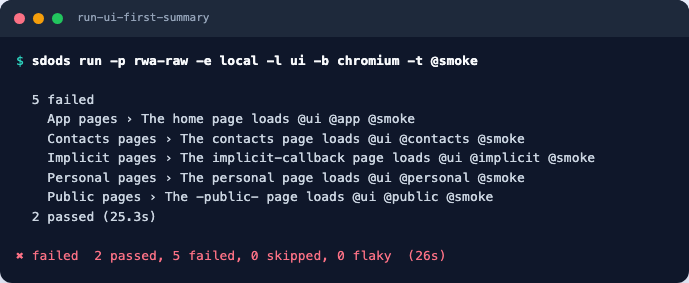
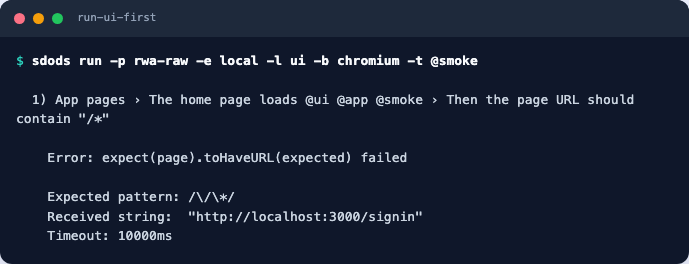
These two screenshots come from the project exactly as analyze wrote it. If you already applied
the corrections from chapter 1, your run shows the corrected
routes — the redirect is still what happens on /personal and /contacts.
Give the suite an account
The user pool is a CSV, login happens once, and the browser state is reused.
sdods auth capture -p rwa-bank -e local
sdods auth list -p rwa-bank -e local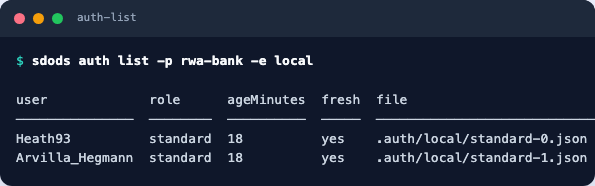
A scenario asks for a role with a tag:
  @smoke @user:standard
  Scenario: The personal page loads
    Given I navigate to the "personal" page
    Then the page URL should contain "/personal"
Do the same for features/contacts/contacts.feature, then run it again:
sdods run -p rwa-bank -e local -l ui -b chromium -t @smoke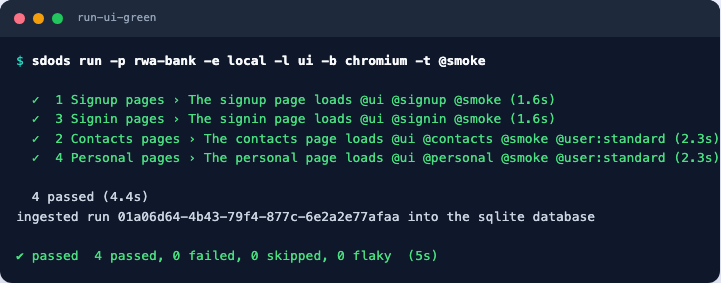
Tags are the interface to your suite
Every scenario carries exactly one suite tag — that rule is enforced by lint, so the taxonomy
cannot rot.
sdods features list -p rwa-bank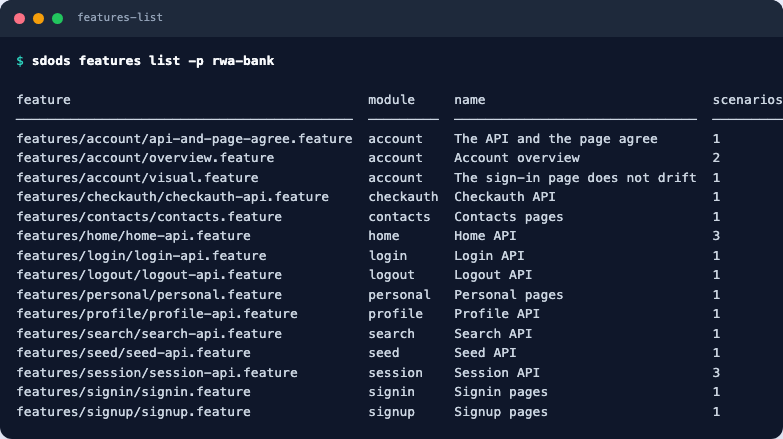
Tag expressions are boolean:
sdods run -p rwa-bank -e local -t "@smoke"
sdods run -p rwa-bank -e local -t "@regression and @account"
sdods run -p rwa-bank -e local -t "@smoke and not @visual"
Exit codes
Runs are meant to be read by CI as well as by you:
| Code | Meaning |
|---|---|
| 0 | everything passed |
| 1 | at least one scenario failed |
| 2 | configuration is wrong (unknown project, env…) |
The full list is in Reference → Exit codes.
Break it on purpose
A suite you have never seen fail is a suite you do not trust. Stop the application
(Ctrl-C in its terminal) and run the API layer again: every scenario fails with a connection
error rather than an assertion error, which is exactly the distinction you want in a failure report.
Start it again before continuing.
Checkpoint
sdods run -p rwa-bank -e local -l api && sdods run -p rwa-bank -e local -l ui -b chromium -t @smokeBoth commands exit 0. Next: UI scenarios and page objects.